 Pharova
Know what your SIEM can catch, and close the gaps safely
Pharova connects to your SIEM and measures how well its detection rules cover real attacks. It suggests the use cases you are missing for the logs you already collect, creates the ones you approve, and keeps an eye on every rule, including your own.
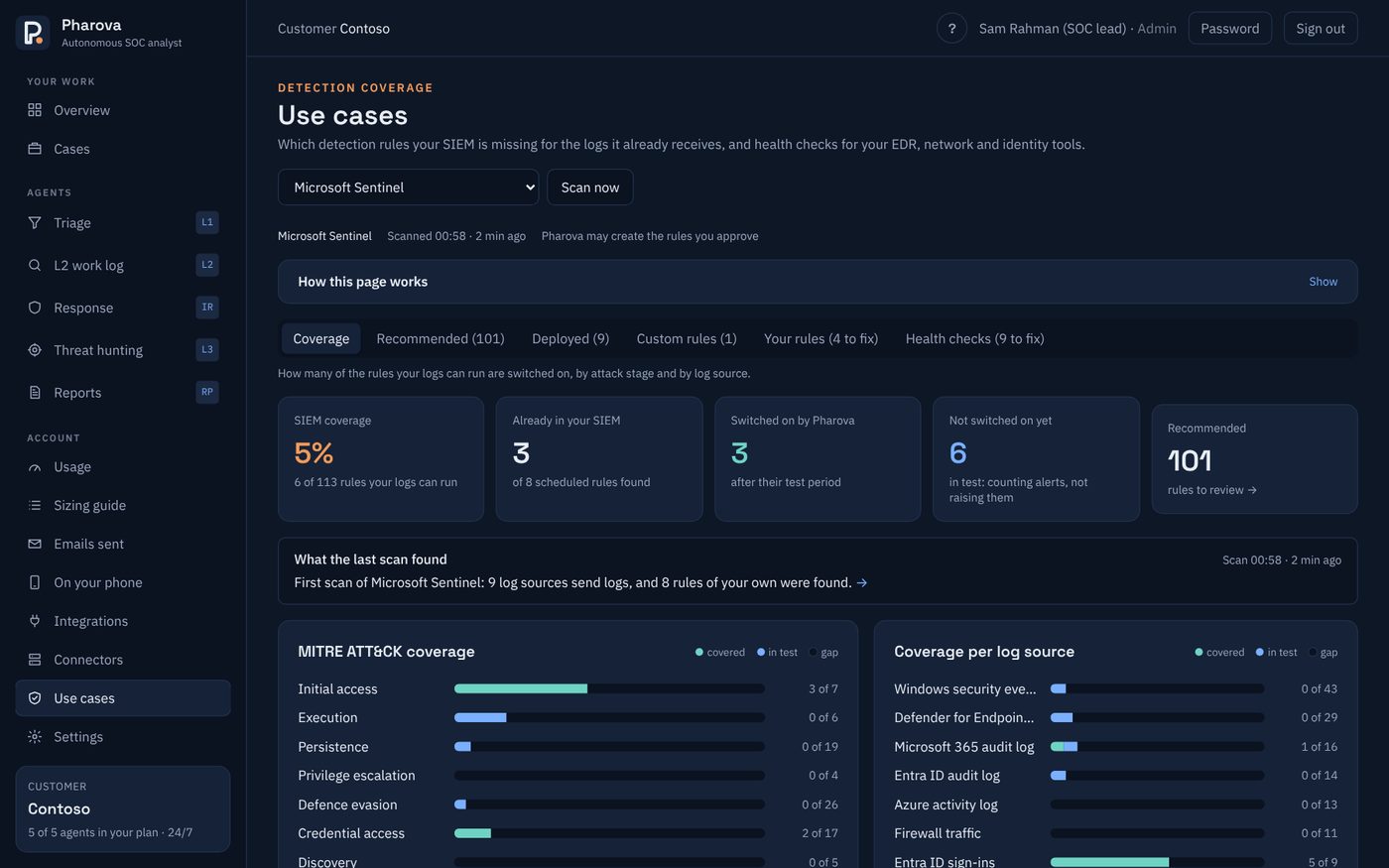
Rules for the tools you already have
Pharova reads which log sources reach your SIEM, such as Windows security events, Microsoft Defender, Entra ID sign-ins, Microsoft 365 or your firewalls, and recommends the rules that fit them.
- A library of 177 rules, each written once and translated for your SIEM, and tested against attack and normal sample logs.
- Each suggestion says what it catches, why it matters and which attack technique it covers.
- No duplicates: suggestions are compared with your existing rules by name and by what they search.
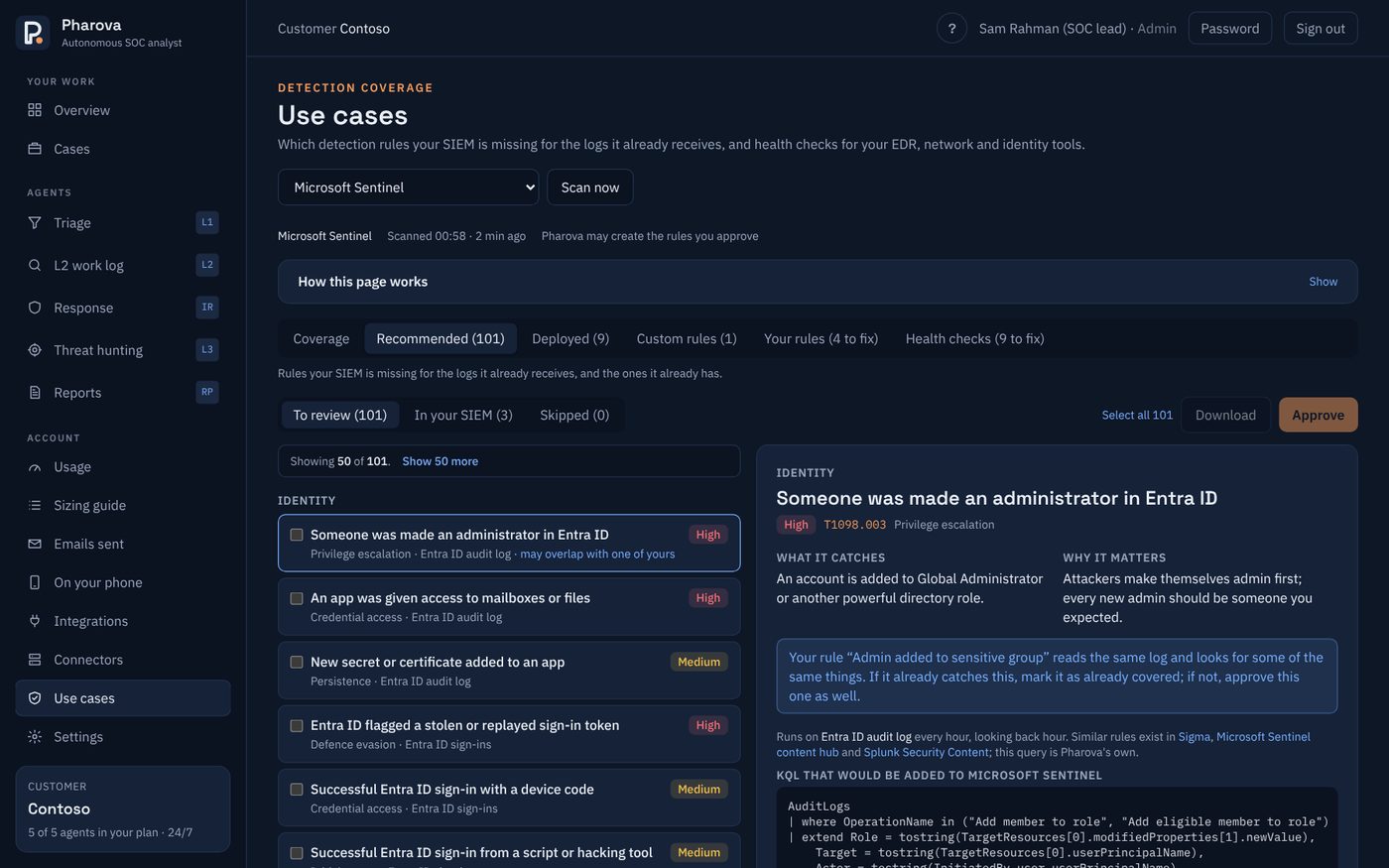
From scan to working rule in minutes
Pharova scans your SIEM
It finds your log sources and your own rules, and shows your coverage by attack stage and by log source.
You approve the rules you want
Pick one rule or many. Only your admins can approve, and only for SIEMs where you allow it.
Pharova creates them in your SIEM
New rules start in test mode, counting what they would catch without filling your queue, then switch on.
Pharova rescans every 4 hours and whenever a SIEM connection changes. A new log source brings new suggestions, and a source that goes quiet is flagged on the Overview and emailed to your admins.
Your existing rules, checked and explained
Pharova reviews the rules you already have and tells you which ones need attention and what to do about them. It never changes your own rules.
- Off or failing. Rules that are switched off or fail to run.
- Silent. Rules that have not fired for 30 days, or read a log source that sends nothing.
- Noisy. Rules that raise too many alerts a day, with the accounts, machines and addresses behind most of them, so you can quiet them.
- Missing technique. Rules that do not say which attack technique they detect.
Describe it in plain English. Pharova writes the rule.
Ask for a rule the way you would ask a colleague. Pharova understands hundreds of tool names, nicknames and typos, and offers the closest wordings it knows when a request is not clear. You see a preview before you keep it.
- Look at the time of day, VPN connections, a named machine or account.
- Count events over some minutes, such as account lockouts.
- Works with the Privacy Gateway on, so your own names stay inside your network.
- youASKalert when AnyDesk or TeamViewer runs
- ruleOKRemote-access tool startedProgram start events · AnyDesk, TeamViewer
- youASK5 account lockouts in 10 minutesCounting rule over Windows security events
- nextGOPreview, then create in your SIEM in test mode
Seven SIEMs, one way of working
| SIEM | What Pharova does |
|---|---|
| Microsoft Sentinel | Scan, suggest, create approved rules, review your rules |
| Splunk | Scan, suggest, create approved rules, review your rules |
| IBM QRadar | Scan, suggest, create approved rules, review your rules |
| Exabeam | Scan, suggest, create approved rules, review your rules |
| Elastic Security | Scan, suggest, create approved rules, review your rules |
| OpenSearch | Scan, suggest, create approved rules, review your rules |
| LogRhythm | Scan and suggest, with step-by-step build instructions |
Pharova also checks that your other tools' logs reach the SIEM, with deeper checks for Microsoft Defender, Entra ID and Okta.
See Pharova on your own alerts
We connect to a copy of your tools in a guided session and show you every decision, with the evidence behind it.